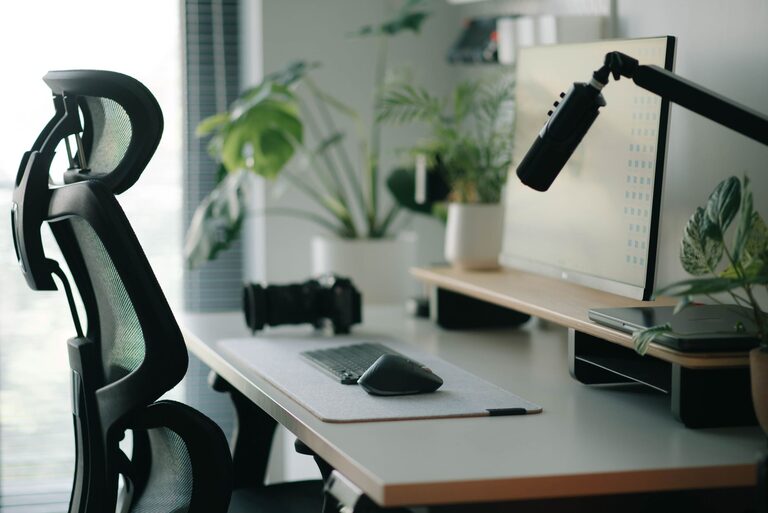
Creating a desk setup that promotes both focus and comfort is essential for productivity and well-being, whether you work from home, office, or study. The right workspace can reduce distractions, prevent strain, and help you maintain concentration throughout the day. This guide offers practical tips on arranging your desk for maximum comfort and focus.
Why a Good Desk Setup Matters
Your desk is more than just a place to put your computer. It’s where you spend hours working, thinking, and creating. Poor posture or clutter can lead to physical discomfort and mental fatigue, while a well-thought-out setup supports better concentration and reduces stress.
Choosing the Right Desk and Chair
Desk Height and Size
– Your desk height should allow your elbows to rest comfortably at about 90 degrees when typing.
– Choose a desk large enough to hold your main tools (computer, notebooks, etc.) but not cluttered.
– Adjustable desks or standing desks provide flexibility and encourage movement.
Ergonomic Chair
– Invest in a chair that supports your lower back.
– Adjust seat height so your feet rest flat on the floor.
– Armrests should support your arms without raising your shoulders.
Monitor Placement for Eye Comfort and Focus
– Place your monitor directly in front of you about an arm’s length away.
– The top of the screen should be at or slightly below eye level to keep your neck straight.
– Use a monitor stand or adjustable arm if needed.
– Reduce glare by positioning the screen perpendicular to windows or light sources.
Keyboard and Mouse Positioning
– Keep your keyboard and mouse close enough to avoid stretching.
– Your wrists should remain straight and relaxed; consider a wrist rest if needed.
– Wireless devices reduce cable clutter and give you more freedom.
Lighting That Supports Your Focus
– Use natural light as much as possible but avoid direct glare on your screen.
– A desk lamp with adjustable brightness can help during darker hours.
– Warm light tones create a calming atmosphere, while cool light can improve alertness.
Organizing Your Desk for Efficiency
Declutter Regularly
– Keep only essential items on your desk.
– Store documents and supplies in drawers or organizers.
Use Desk Accessories
– A pen holder, paper trays, or cable organizers help keep things tidy.
– Use a bulletin board or whiteboard nearby for notes and reminders.
Personal Touches
– Add a small plant or a photo to make your workspace welcoming.
– Avoid too many decorations that might distract you.
Incorporating Movement and Breaks
– Stand up and stretch or walk every 30-60 minutes.
– Consider a desk treadmill or balance board if you want to stay active while working.
– Use reminders or apps to maintain regular breaks for refreshed focus.
Minimizing Distractions
– Use noise-cancelling headphones or white noise if your environment is noisy.
– Keep your phone on silent or in another room when focusing on important tasks.
– Set specific times to check emails and messages rather than constant interruptions.
Maintaining Air Quality and Comfort
– Keep a small fan or humidifier nearby if needed for comfort.
– Good air circulation helps maintain alertness and reduces fatigue.
– Plants can also improve air quality and create a pleasant atmosphere.
Final Thoughts
Designing a desk setup that balances focus and comfort is a process that may require some experimentation. Pay attention to how your body feels during and after work sessions, and adjust your environment accordingly. With these tips, you can create a workspace that supports both your productivity and well-being.